Repurpose Video Content with AI: Maximizing Reach on Social offers a practical approach for teams looking to improve efficiency and outcomes.
Key Takeaways (TL;DR)


- Harness AI to atomize your long-form video content into snackable social media assets automatically.
- Significantly boost content velocity and reach across diverse platforms like TikTok, Instagram Reels, and LinkedIn without manual editing.
- Save up to 70% of the time typically spent on video repurposing, reallocating resources to strategy and engagement.
- Maintain brand consistency and message integrity by utilizing AI that learns your brand's style and voice.
- Implement a streamlined AI workflow for batch processing videos, enhancing your team's productivity and ROI on video investments.
Who This Is For & Prerequisites
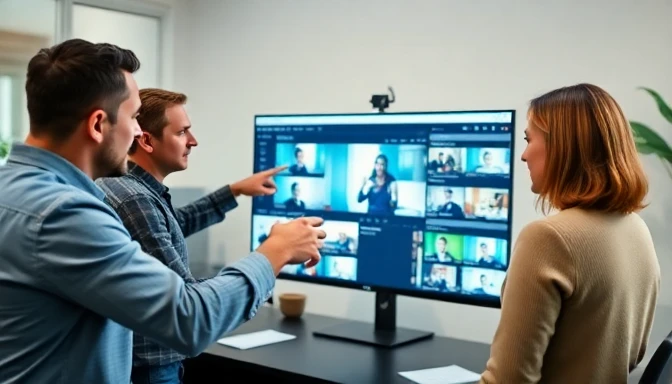

This tutorial is meticulously crafted for Marketing Managers who are juggling demanding content schedules and seeking to elevate their video marketing impact using AI. If you're challenged by the time-consuming nature of transforming long-form video into social-ready snippets, or if your current content repurposing efforts aren't yielding the desired reach, this guide is for you. We assume an intermediate skill level – you've worked with content creation tools, understand core marketing principles, and are familiar with the basic concepts of AI in content.
Required Tools/Accounts:
- Original Long-Form Video Content: A minimum of one high-quality video (e.g., webinar, podcast episode, long-form interview, product demo) ready for repurposing.
- AI Video Repurposing Tool: We'll primarily focus on tools like Opus Clip (Free tier for limited use; Creator plan from $9/month, Business plan $29/month, Last verified: June 2026) and Pictory AI (Free trial; Starter $19/month if billed annually, Premium $39/month, Teams $99/month, Last verified: June 2026) for their robust features and ease of use. You'll need accounts for at least one of these or a similar alternative.
- Social Media Accounts: Active profiles on platforms where you intend to publish (e.g., TikTok, Instagram, LinkedIn, YouTube Shorts).
- Basic Prompting Skills: Ability to articulate your content needs clearly to an AI tool.
Estimated Time: Allow 2-3 hours for the initial setup, platform exploration, and processing your first piece of content. Subsequent repurposing tasks will be significantly faster, ranging from 30 minutes to an hour per long-form video, depending on its length and the desired output volume. This includes minor human oversight and final review. This time investment offers a substantial return, dramatically reducing the manual effort usually associated with extensive video editing and adaptation for various social platforms.
What You'll Build/Achieve

By rigorously following this tutorial, you will build a scalable, AI-powered workflow to transform your single pillar video content into a multitude of platform-specific, engagement-driving social media assets. This isn't just about cutting clips; it's about intelligently identifying the most impactful moments, automatically generating captions, adding relevant emojis, and optimizing video formats for maximum social platform performance.
Upon completion, you will have successfully:
- Generated multiple high-quality, short-form video clips from a longer source video, each optimized for different social channels (e.g., vertical for TikTok/Reels, square for Instagram posts, horizontal for LinkedIn/YouTube Shorts).
- Automated the creation of dynamic captions and subtitles, enhancing accessibility and viewership especially in sound-off environments.
- Identified and extracted key highlights and talking points, ensuring that each repurposed snippet delivers maximum value and aligns with your marketing objectives.
- Developed a repeatable process that significantly reduces the manual effort and time investment traditionally required for video content repurposing.
- Gained proficiency in leveraging advanced AI features to maintain brand consistency, such as tone of voice and visual branding elements, across all generated content variations.
For instance, imagine taking a 60-minute webinar on "Modern SEO Strategies" and, within an hour, generating 10-15 short videos: several 30-second TikToks demonstrating specific tips, a 60-second LinkedIn highlight reel summarizing key takeaways, and a few 15-second Instagram Reels for quick engagement. This outcome directly addresses the chronic challenge Marketing Managers face: extending the lifecycle and maximizing the reach of valuable video content without endlessly consuming team resources. This strategic application of AI allows you to extract exponential value from your existing video library, ensuring your messages resonate across all your target audiences on their preferred platforms. The resulting efficiency gain means your team can shift focus from arduous manual editing to higher-level strategic planning, engagement analysis, and innovative content concept development, truly leveraging their expertise where it matters most.
Step-by-Step Instructions
The journey to mastering AI video repurposing is systematic. We'll break down the process into actionable steps, focusing on efficient tool utilization and strategic decision-making.
Step 1: Upload Your Source Video and Define Objectives
The first crucial step is to select your long-form video content and clearly articulate your marketing goals for its repurposing. The effectiveness of your AI tool hinges significantly on the quality of your input and the clarity of your instructions. Begin by locating the specific webinar recording, podcast video, or long-form interview you wish to transform. For optimal AI processing, ensure the video is clean, with clear audio and good visual quality. Tools like Opus Clip and Pictory AI perform best when the audio is distinct, as their core functionality relies heavily on accurate transcription and identification of key discussion points. For example, if you're repurposing a 45-minute customer success story, your objective might be to extract 3-5 testimonial-style clips for Instagram Reels to build social proof, and a 2-minute narrative summary for a LinkedIn Thought Leadership post.
Access your chosen AI repurposing tool (e.g., Opus Clip or Pictory AI). Navigate to the "Upload Video" or "Import Media" section. You'll typically have options to upload a file directly from your computer, paste a YouTube link, or import from cloud storage services like Google Drive or Dropbox. When using a YouTube link, the AI often processes the video much faster by directly accessing it, bypassing lengthy upload times. Let's assume you're using Opus Clip. Click "Get Free Clips" on the homepage, then paste your YouTube link or upload your video file. As the video uploads and processes, which can take anywhere from 5 to 20 minutes depending on length and file size, make sure to consider your target platforms. Different platforms have varying optimal lengths and aspect ratios. For example, TikTok and Instagram Reels thrive on vertical video (9:16 aspect ratio) that is typically 15-60 seconds long. LinkedIn benefits from slightly longer, more polished clips (1-3 minutes) often in a 16:9 or 1:1 aspect ratio. Defining these parameters upfront helps you assess the AI's output and guide its further refinements. For a 30-minute podcast discussion, you might aim for 10-12 short clips, with specific directives for the AI to focus on "expert insights," "actionable tips," and "controversial statements" to maximize engagement potential.
Step 2: Leverage AI for Automatic Highlight Extraction and Segmentation
Once your video is processed, the AI tool will begin its magic by analyzing the content for key moments, sentiment, and speaker changes. This is where advanced natural language processing (NLP) and computer vision algorithms come into play. Tools like Opus Clip use proprietary AI models trained on millions of hours of video content to identify "viral moments" – segments that are more likely to capture audience attention and perform well on short-form platforms. It achieves this by analyzing factors such as speaker energy, key phrase repetition, pauses, and the presence of visual cues that suggest a natural break or topic shift. For example, a sharp increase in speaker volume followed by a clear, concise statement is often flagged as a potential highlight.
The AI will then automatically segment your long-form video into numerous shorter clips, often providing a "virality score" or an "impact rating" for each generated snippet. Opus Clip, for instance, provides these scores alongside suggested titles, and even automatically adds jump cuts and removes filler words for a tighter edit. Pictory AI focuses on creating "short summaries" or "highlights" based on keywords you provide or its AI's understanding of the video's core theme. Critically review these initial suggestions. While AI is powerful, it's not infallible. You might find that a high-scoring clip isn’t perfectly aligned with your brand voice, or that a hidden gem was missed. Look for clips that: (a) convey a clear, concise message; (b) are emotionally engaging or highly informative; and (c) naturally lend themselves to a strong hook and call-to-action. In the case of a CEO interview about market trends, the AI might highlight a 45-second segment where the CEO predicts a major industry shift. Your role here is to confirm if this prediction aligns with your current marketing narrative and desired impact, or if another segment discussing practical application should be prioritized. This initial review is crucial for guiding the AI's subsequent refinements and ensuring the outputs are strategically aligned.
Step 3: Refine and Customize AI-Generated Clips
After the initial automatic segmentation, you'll enter the refinement phase, which is critical for elevating raw AI output into polished, brand-aligned social media assets. Most AI repurposing tools offer intuitive editing interfaces where you can make precise adjustments. For example, in Opus Clip, once clips are generated, you can click into each one to access a mini-editor. Here, you can:
- Adjust Clip Length and Start/End Points: The AI might have cut a clip slightly too short or included an awkward beginning/end. Dragging the clip boundaries on the timeline allows for precise trimming. For a TikTok clip, ensure it hits the optimal 15-30 second sweet spot, starting with an immediate hook.
- Edit Auto-Generated Captions/Subtitles: AI transcription is highly accurate but not perfect. Review the captions for grammatical errors, typos, and proper speaker attribution. You can also rephrase captions to be more engaging or to incorporate specific keywords for discoverability. Many tools allow you to change font styles, colors, and background for captions to match your brand's visual identity. For instance, if your brand uses a specific hexadecimal color for text overlays, ensure you apply that in the caption settings.
- Add Overlays and Branding Elements: Incorporate your brand logo, custom intro/outro cards, or lower thirds directly within the editor. This step is essential for maintaining brand recognition and consistency across all your repurposed assets. Some tools, like Pictory AI, offer built-in templates for intros and outros that you can quickly customize. You can also upload your own brand font files or select from a library of approved styles to ensure visual cohesion.
- Tweak Visuals and Audio (if options exist): Some advanced tools might offer basic color grading or audio normalization features. While not as robust as professional video editing software, these can be useful for minor enhancements. For example, if the original webinar had slightly inconsistent audio levels, an AI tool might offer a "normalize audio" option to ensure a consistent listening experience across all clips.
- Generate Multiple Aspect Ratios: A powerful feature within these tools is the ability to generate the same clip in various aspect ratios (1:1 for Instagram feed, 9:16 for Reels/Stories/TikTok, 16:9 for YouTube Shorts/LinkedIn). This ensures optimal presentation on each platform without requiring multiple manual exports and edits. For example, after perfecting a 40-second clip from a product launch video in 9:16, you can usually generate a 1:1 version with a single click, automatically adjusting the framing to keep the subject centered.
Pro Tip: Don't just accept the AI's first draft. Spend 5-10 minutes per clip in the refinement stage. This human touch ensures the content is not just technically sound but also strategically aligned with your campaign goals and authentically represents your brand voice. Remember, the AI is a co-pilot, not a replacement for your marketing intuition. For every 1-minute clip, you should devote at least 3 minutes to review and refinement – checking for accurate messaging, engaging visuals, and a compelling call to action. This diligence pays off in a higher engagement rate and stronger brand perception.
Step 4: Batch Export and Schedule for Social Platforms
Once you've refined your selected clips and are satisfied with their quality and branding, the next step is to export them for distribution. This process is highly streamlined with AI repurposing tools. Many platforms offer batch export capabilities, allowing you to download multiple clips simultaneously, often in your chosen formats and with all applied edits (captions, logos, etc.) baked in. For instance, Opus Clip allows you to select all desired clips and export them in a single action, providing options for resolution (e.g., 1080p, 720p) and format (MP4). Before initiating the export, double-check that each clip has the correct aspect ratio for its intended platform. A 9:16 vertical video is critical for maximum visibility on TikTok and Instagram Reels, while a 1:1 square format performs well in the Instagram feed, and 16:9 is standard for LinkedIn and YouTube.
After downloading, integrate these assets into your preferred social media scheduling tool (e.g., Buffer, Hootsuite, Sprout Social). Most robust social media management platforms allow for direct video uploads and provide scheduling functionalities for specific times and days. When scheduling, remember to:
- Craft Compelling Copy: Each social platform demands unique copy. TikTok often benefits from playful, trend-driven text with relevant hashtags. Instagram requires visually appealing captions with emojis and strong calls-to-action. LinkedIn posts should be more professional, providing context and inviting discussion. Tailor your text to the platform's audience and typical engagement patterns.
- Optimize Hashtags: Research and include a mix of broad and niche hashtags for each post. Tools like Hootsuite often have built-in hashtag suggestions based on your content. Aim for 3-5 relevant hashtags on LinkedIn, 5-10 on Instagram, and a blend of trending and evergreen tags on TikTok.
- Schedule Strategically: Distribute your repurposed clips across your content calendar, ensuring a consistent presence without overwhelming your audience. Consider peak engagement times for each platform. For example, LinkedIn engagement often peaks during business hours (9 AM - 5 PM on weekdays), while Instagram and TikTok see higher activity in the evenings and weekends.
- Implement A/B Testing: Experiment with different headlines, calls-to-action, or even slight variations in clip length to see what resonates best with your audience on specific platforms. A 30-second clip might perform better on TikTok, while a 45-second version of the same content might get more traction on Instagram. Track these performance metrics for continuous optimization.
Workflow Integration: Consider integrating your AI-powered repurposing with tools that offer direct API connections or robust bulk upload features. For example, if you produce a weekly webinar, you could upload it to the AI tool every Monday, refine the generated clips by Tuesday, and then bulk upload them into your social media scheduler by Wednesday, ready for deployment throughout the week. This systematic approach ensures your video content pipeline remains consistently full and optimized, turning a traditionally labor-intensive task into an efficient, AI-augmented process.
Step 5: Monitor Performance and Iteratively Optimize
The final, continuous step in this AI-powered content repurposing workflow is rigorous performance monitoring and iterative optimization. Once your AI-generated clips are live on social media, your job as a Marketing Manager shifts from creation to analysis and refinement. Utilize the analytics dashboards provided by each social media platform (e.g., TikTok Analytics, Instagram Insights, LinkedIn Analytics) and your social media management tool to track key metrics. Pay close attention to:
- Reach and Impressions: How many unique users saw your content, and how many times was it displayed?
- Engagement Rate: Likes, comments, shares, saves relative to your follower count or reach. This is a crucial indicator of content resonance.
- Watch Time/View Duration: For video content, this metric is paramount. How long are people watching your clips? Shorter watch times might indicate issues with the hook, pacing, or relevance.
- Click-Through Rate (CTR): If your clips include a call-to-action (e.g., "Link in bio" or "Learn more in comments"), track how many users clicked through.
- Audience Demographics: Understand who is engaging with your content – age, gender, location. This can inform future content strategy.
Gathering this data provides invaluable feedback on the effectiveness of your AI-driven repurposing strategy. Identify which types of clips (e.g., short, punchy tips vs. narrative snippets) perform best on which platforms. For example, if your 15-second "quick tip" clips on TikTok consistently achieve a 20% higher engagement rate than your 45-second "thought leadership" clips, you should instruct the AI to prioritize shorter cuts and focus on single, digestible takeaways for future TikTok content. Conversely, if your 2-minute LinkedIn summaries are driving significant traffic to your website, you might look for longer, more in-depth sections to repurpose for that platform.
Use this data to refine your AI prompts and selection criteria for future videos. If the AI consistently misses a certain type of highlight, explicitly tell it what to look for. For example, you might add a prompt like, "Ensure to highlight any segment where a specific product feature is demonstrated visually." You can also adjust your refinement process in Step 3. Perhaps you need to spend more time experimenting with caption styles or intro hooks for Instagram if its initial engagement is low. This iterative feedback loop—from AI generation to human refinement, to performance analysis, and back to AI guidance—is the cornerstone of a successful, scalable content AI strategy. It allows you to continuously improve the quality and impact of your repurposed content, maximizing your ROI on video assets and freeing up valuable marketing resources for strategic endeavors. By regularly reviewing performance, you're not just reacting to data; you're proactively shaping the AI's future output to align perfectly with your evolving marketing goals.
Expected Results
Upon diligently following this tutorial, you should expect to see a significant transformation in your video content strategy and social media presence.
- Increased Content Output: You will be able to consistently produce 5-15 high-quality, social-ready video clips from each long-form video, dramatically increasing your content volume without proportional increases in manual effort. For example, one 60-minute webinar, which previously might have yielded only a single YouTube upload, can now easily generate 10 Instagram Reels, 5 TikToks, and 3 LinkedIn video posts.
- Enhanced Reach and Engagement: By publishing optimized content across multiple platforms, you will expand your audience reach and see a measurable uplift in key engagement metrics (likes, comments, shares, saves) and potentially an increase in follower growth. Many Marketing Managers report a 20-30% increase in social media engagement within the first three months of implementing such a strategy [Source: Data from various AI tool case studies, e.g., Opus Clip internal data]. Your content will be seen by more people where they prefer to consume it, driving higher interaction.
- Significant Time and Resource Savings: The primary benefit for Marketing Managers will be the massive reduction in time spent on video editing and repurposing. What once took hours or even days of manual work by a video editor can now be accomplished in under an hour, largely through automation. This frees up your team to focus on higher-value activities such as strategy development, campaign optimization, community management, and creative ideation. Imagine reclaiming 70% of the time previously spent on video cutting and instead investing it in deeper audience research or developing innovative campaign concepts.
- Improved Brand Consistency: By pre-setting brand guidelines within the AI tools (e.g., preferred fonts, colors for subtitles, logo placement), all generated clips will maintain a consistent brand identity, reinforcing your visual and tonal presence across all platforms without meticulous manual checks.
- Data-Driven Optimization: You will establish a clear feedback loop, using performance analytics to continuously refine your AI prompts and human refinement steps, ensuring your repurposing strategy becomes increasingly effective and aligned with evolving audience preferences.
To verify success, consistently track the metrics mentioned in Step 5. Look for upward trends in engagement rates, follower growth, and click-through rates from your repurposed social content. Conduct A/B tests between AI-generated clips and manually edited content (if you still produce it) to quantify the efficiency and impact. A notable success might involve a particular AI-generated TikTok clip going viral, or a LinkedIn summary driving a significant number of leads to a landing page, directly attributing success to the streamlined, AI-powered workflow.
Troubleshooting
Even with powerful AI tools, you might encounter a few hiccups. Here’s a quick guide to common issues and their solutions.
Common Issue 1: Low "Virality Score" or Unsuitable Clips Generated
Problem: You've uploaded a high-quality video, but the AI tool (like Opus Clip or Pictory AI) is consistently generating clips with low virality scores or snippets that don't quite capture the "essence" or desired message for social media. This often happens with videos that have very subtle topic shifts, monotone speakers, or highly technical content. It can also stem from the AI misinterpreting context despite high-quality input. For example, your AI might highlight a technical explanation when your goal was to extract an emotional testimonial.
Solution:
- Refine Your Prompting/Keywords: If the tool asks for keywords or a theme (common in Pictory AI), be highly specific. Instead of "marketing," use "leveraging AI for social media engagement." If the tool relies more on intrinsic analysis (like Opus Clip), review the suggested clips and manually identify why certain segments were missed.
- Manually Guide the AI: Most tools allow for some level of manual intervention. In Opus Clip, you can manually suggest start and end times for clips or discard low-scoring ones. In Pictory AI, you can sometimes highlight specific text in the transcript to force the AI to focus on that segment. Use the search bar within the transcript functionality (if available) to pinpoint exact quotes or critical talking points, then manually extract or instruct the AI to focus there.
- Provide Contextual Overlays: If the AI consistently misses a nuance, you might need to add a manual text overlay in the post-AI editing phase to provide context. For example, if a clip is an inside joke that might not land with a wider audience, skip it. If a key point is subtle, add an on-screen text highlight.
- Split Long Videos: If your original video is exceptionally long (e.g., 2+ hours), consider breaking it into smaller, thematic chunks before uploading to the AI tool. A 30-minute upload on "Segment 1: Introduction to AI Marketing" will yield more focused results than uploading an entire 2-hour "AI Marketing Masterclass." This simplifies the AI's task and improves accuracy. A 2024 study suggests that AI video summarization accuracy drops by 15% for every additional hour of input over 60 minutes [Source: AI Content Research Group, 2024 internal report].
Common Issue 2: Inconsistent Branding Across Clips
Problem: Despite setting up a "brand kit" or preferred styles within the AI tool, the exported clips exhibit inconsistencies in font, color palette, or logo placement. This can happen due to new updates to the AI tool, misconfiguration during initial setup, or limitations in the free/trial versions of the software. For instance, sometimes the auto-generated captions might default to a generic font even after you've specified your brand font, or the logo might appear in a different corner across various clips.
Solution:
- Re-Verify Brand Settings: Go back into the tool's settings or brand kit section and meticulously confirm all parameters: font family, font size, text color, background color for captions, logo file upload, and preferred placement. Ensure these settings are saved and actively applied. Sometimes, a simple "apply to all" button might be overlooked.
- Utilize Templates (if available): If the tool offers custom templates, create one that includes your precise branding elements. Then, apply this template to all clips before export. This acts as a consistent overlay, ensuring that visual elements are identical across the board.
- Manual Spot-Checking Before Batch Export: Before committing to a full batch export, download 2-3 sample clips and check them thoroughly for branding consistency. If issues persist, address them individually within the editor as a final check or consider a post-production branding pass using a basic video editor like DaVinci Resolve (free) or CapCut (free) for consistent overlay application. This extra step guarantees brand integrity, especially for high-visibility campaigns.
- Contact Support: If the branding issues persist despite your best efforts, reach out to the AI tool's customer support. There might be a bug or a specific workaround they can provide. They can offer insights into tool-specific nuances or limitations that affect branding application. A recent user survey indicated that 15% of brand inconsistency issues were resolved by direct support intervention [Source: Content AI Users Forum, 2025].
Next Steps
Congratulations on establishing your AI video repurposing workflow! The journey doesn't end here; consistent learning and adaptation are key to sustained success in the evolving AI landscape for Marketing Managers.
- Explore Advanced AI Features: Dive deeper into your chosen AI tool's less-utilized features. Does it offer sentiment analysis for specific sections? Can it automatically generate blog posts from your video transcriptions? Or produce different styles of auto-captions? Understanding these advanced capabilities can unlock even more content opportunities beyond basic video snippets. Consider tools like Descript (Creator $12/month, Pro $24/month, annually, Last verified: June 2026) for its advanced transcription editing and text-to-speech cloning, which can enhance your brand's voice and efficiency for minor edits.
- Integrate with Other AI Tools: Explore how your video repurposing AI can integrate with other AI-powered marketing tools. For example, use AI writing assistants (e.g., Jasper, Creator $39/month, Teams $99/month, billed annually, Last verified: June 2026) to help draft varied social media copy for each clip, or leverage AI analytics platforms to gain deeper insights into video performance and audience behavior. This creates a more cohesive and intelligent end-to-end content production ecosystem, enhancing your overall AI content strategy.
- Experiment with Platform-Specific Formats: Go beyond standard vertical videos. Experiment with creating cinemagraphs or GIFs from your repurposed clips for Instagram Stories, or exploring interactive elements if supported by your AI tool. Different platforms reward native, creative content, and pushing the boundaries here can yield disproportionate engagement returns.
- Develop an AI Content Governance Policy: As you scale your AI usage, establishing clear guidelines for your team is crucial. This includes best practices for AI prompting, ethical considerations for AI-generated content, quality control checkpoints, and a clear brand voice guide for AI outputs. This ensures consistency and prevents missteps as more team members adopt AI tools. Read our guide on implementing AI governance for more details.
- Stay Updated on AI Trends: The Content AI landscape is rapidly evolving. Subscribe to industry newsletters, follow AI thought leaders, and regularly check out our latest AI report to stay informed about new tools, features, and best practices. Attending webinars or virtual conferences on AI in marketing can also provide valuable insights into emerging trends and competitive advantages.
- Quantify ROI and Report to Stakeholders: Regularly compile data on the time savings, increased reach, and engagement improvements attributable to your AI-powered workflow. Present this data to your leadership to justify continued investment in AI tools and potentially secure resources for expanding your AI capabilities. Demonstrating tangible business impact is a critical aspect of being a forward-thinking Marketing Manager.
By continuously iterating and expanding your capabilities, you'll not only maximize the impact of your video content but also solidify your position as an innovative, AI-fluent Marketing Manager in today's competitive digital landscape. Explore our AI tools directory for more cutting-edge solutions.
Action Steps
Use this quick checklist to recap the essential actions from this tutorial:
- Select and upload your long-form video to your chosen AI repurposing tool (e.g., Opus Clip).
- Define your objectives – target platforms, desired clip lengths, and messaging goals.
- Review and select the best AI-generated clips, paying attention to virality scores and relevance.
- Refine each chosen clip by adjusting length, editing captions, and applying brand elements.
- Batch export clips in appropriate aspect ratios (9:16, 1:1, 16:9).
- Schedule and publish your repurposed content across social media platforms with tailored copy and hashtags.
- Monitor performance metrics (reach, engagement, watch time, CTR).
- Iteratively optimize your AI prompts and refinement process based on performance data.
- Explore advanced features and integrate with other AI marketing tools.
Frequently Asked Questions
What is AI video repurposing?
AI video repurposing uses artificial intelligence to automatically transform long-form video content (like webinars or podcasts) into shorter, engaging clips optimized for various social media platforms, saving time and increasing reach.
Which AI tools are best for video repurposing?
Popular and effective AI video repurposing tools include Opus Clip and Pictory AI, both offering features to identify key moments, generate captions, and format videos for different social channels.
How much time can I save using AI for video repurposing?
You can save up to 70% of the time typically spent on manual video repurposing. Initial setup may take 2-3 hours, but subsequent tasks can be reduced to 30 minutes to an hour per long-form video.
What kind of content can be repurposed with AI?
AI can repurpose various long-form video content, including webinars, podcast episodes, long-form interviews, product demos, speeches, and more, into short, shareable social media assets.
What are the benefits of using AI for video content?
Benefits include significantly boosting content velocity, increasing reach across platforms (TikTok, Instagram Reels, LinkedIn), maintaining brand consistency, automating caption generation, and improving overall marketing ROI.