
AI Customer Journey: Fullstory Insights offers a practical approach for teams looking to improve efficiency and outcomes.
Uncovering customer journey insights with AI in Fullstory empowers Marketing Managers to move beyond surface-level analytics, pinpointing precise behavioral patterns that drive or derail conversions. Fullstory's session replay and behavioral data, when augmented by AI, transforms raw user interactions into actionable strategies for optimizing marketing funnels and enhancing user experience. This tutorial outlines a practical workflow to configure Fullstory, apply AI analysis, and operationalize the resulting insights within a 30-60 minute timeframe. For marketers seeking a deeper understanding of user intent and friction points, this approach is ideal for rapidly iterating on digital experiences.
What you'll have when done
You will have identified key friction points within a specific customer journey in Fullstory, complete with AI-generated hypotheses for improvement and a prioritized list of next steps for A/B testing or content optimization.
Prerequisites for AI-Powered Journey Analysis

Before you can apply AI to your customer journey data, ensure you have the necessary accounts, access, and foundational knowledge.
- Fullstory Account (Business or Enterprise Tier): Fullstory offers various plans, but the AI-powered analytics features, particularly those for anomaly detection and journey analysis, are typically available in their Business or Enterprise tiers. As of 2026, the Business plan starts at approximately $800/month, billed annually, supporting higher data volumes and advanced integrations necessary for robust AI application. A free trial may offer limited access to these features, but sustained use requires a paid subscription.
- Fullstory Data Collection Configured: Your website or application must have the Fullstory tracking script correctly installed and actively collecting data. This includes accurate event capture, custom user attributes, and session recording. Without rich, clean data, AI analysis will yield limited or misleading insights.
- Familiarity with Fullstory UI: You should be comfortable navigating Fullstory's interface, including creating segments, defining funnels, and reviewing session replays. This tutorial assumes you can locate core features like "Journeys" and "Funnels" within the platform.
- Basic Understanding of AI in Marketing: While this tutorial doesn't require deep AI expertise, an awareness of concepts like machine learning for pattern recognition, anomaly detection, and natural language processing (NLP) for qualitative feedback analysis is beneficial. You should understand that AI assists in identifying patterns, but human interpretation and strategic thinking remain crucial.
- Defined Customer Journey: Before diving into AI, have a specific customer journey in mind (e.g., "new user signup," "product discovery to add-to-cart," "abandoned cart recovery"). This focus helps narrow the scope for AI analysis and ensures relevant outputs.
Step 1: Configure Fullstory for AI Readiness
To maximize the impact of AI on your customer journey analysis, you must first ensure your Fullstory instance is primed with clean, relevant data and appropriate settings. This involves reviewing your data capture strategy and setting up initial segments.
Action: Verify Fullstory data capture and define initial user segments.
- Review Data Capture Accuracy:
- Navigate to
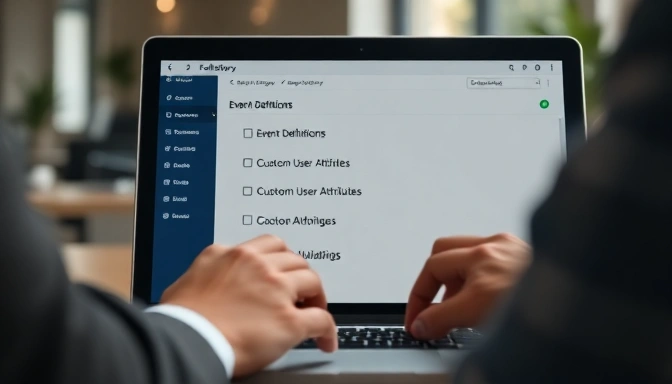
Settings>Data Management>Event Definitions. Ensure all critical marketing-related events (e.g.,cta_click,form_submit,page_view_product,add_to_cart) are correctly defined and captured. - Check
Custom User AttributesinSettings>Data Management. Confirm attributes likemarketing_channel,customer_segment,A/B_test_variant, andlead_scoreare flowing into Fullstory. These attributes are vital for segmenting journeys and providing context to AI. - Validate data integrity by reviewing a few recent session replays for your target journey. Look for missing events, incorrect element tagging, or PII (Personally Identifiable Information) exposure that should be masked. Fullstory offers masking rules under
Settings>Data Privacyto protect sensitive data while maintaining analytical utility.
- Create Foundational Segments:
- Go to
Segmentsin the left navigation. Create a segment for the specific user group whose journey you want to analyze. For example,New Users (Last 30 Days)with criteriaFirst Seen is within the last 30 days. - Establish a segment for users who complete the desired journey outcome, e.g.,
PurchaserswithEvent: order_confirmationandVisit Page: /thank-you. - Create a segment for users who fail or abandon the journey, e.g.,
Cart AbandonerswithEvent: add_to_cartandNOT Event: order_confirmationwithin a specific timeframe. These segments will be crucial for comparative AI analysis.
Confirm-it-worked check: After reviewing data and creating segments, run a quick search for one of your new segments. For instance, search for "New Users (Last 30 Days)" and confirm that the count of matching sessions and users aligns with your expectations. Review a few session replays from this segment to ensure data quality.
Screenshot/output description: You should see a list of session replays filtered by your newly created segment, demonstrating that Fullstory is capturing the intended user behavior and attributes. The Event Definitions page will show green checkmarks next to validated events.
Step 2: Define and Segment Key User Journeys
With a robust data foundation, the next step involves explicitly defining the customer journeys you wish to analyze and segmenting them for targeted AI insights. This moves beyond simple funnels to map out complex user paths.
Action: Use Fullstory's Journeys feature to map out a specific path and apply segment filters.
- Define Your Target Journey:
- Navigate to
Journeysin the Fullstory sidebar. - Click
+ New Journeyand give it a descriptive name, such as "Product Page to Checkout Success" or "Content Download to Demo Request." - Select your starting event. For example,
Visited URL contains /product/for product page view. - Add subsequent key events that represent the typical path of your chosen journey. For "Product Page to Checkout Success," this might include
Event: add_to_cart,Visited URL contains /cart,Visited URL contains /checkout, and finallyEvent: order_confirmation. - Fullstory’s Journey builder allows you to specify sequence (e.g., "A then B") and even optional steps. Focus on the core steps that define success or failure for your chosen journey.
- Apply Journey Segmentation:
- Once your journey is defined, use the
Add filteroption at the top of the Journeys interface. - Apply the user segments you created in Step 1. For example, filter by
Segment: New Users (Last 30 Days)to analyze how new users navigate this specific journey. - You can also filter by custom user attributes (e.g.,
marketing_channel is 'Paid Search') or event properties (e.g.,device_type is 'Mobile'). This segmentation is crucial for understanding how different user cohorts experience the journey. - For comparative analysis, create two versions of the same journey, applying a "success" segment to one and an "abandonment" segment to the other. This side-by-side view will highlight behavioral differences that AI can later quantify.
Confirm-it-worked check: After defining and segmenting your journey, Fullstory will render a visual representation of the paths users take between your defined steps. You should see distinct flows, with some leading to success and others showing drop-offs. The total number of users and sessions for the journey should update based on your applied filters.
Screenshot/output description: The Fullstory Journeys visualizer will display a Sankey diagram-like chart, illustrating user flow between events. Each node represents a step, and the connecting lines show the volume of users moving between them. Filters applied will be visible at the top of the interface, influencing the displayed data.
Step 3: Apply AI Analysis to Identify Anomalies
Fullstory's AI capabilities, particularly its anomaly detection and journey comparison features, are where the platform truly shines for Marketing Managers. This step focuses on using these tools to surface non-obvious insights.
Action: Utilize Fullstory's AI features within the defined journey to identify behavioral anomalies and friction points.
- Access Fullstory's AI-Powered Journey Features:
- Within your defined journey (from Step 2), look for AI-driven insights. As of 2026, Fullstory integrates AI directly into the
JourneysandFunnelssections, often labeled as "AI Insights," "Anomaly Detection," or "Smart Segments." - For a journey like "Product Page to Checkout Success," Fullstory's AI will automatically analyze patterns in successful versus abandoned paths. It looks for statistically significant differences in user behavior.
- Run Anomaly Detection on Drop-Off Points:
- Focus on the highest drop-off points within your journey visualization. Click on a specific drop-off line between two steps.
- Fullstory's AI will analyze the sessions of users who dropped off at this point, comparing their behavior to those who continued. It identifies common events, rage clicks, dead clicks, or specific UI interactions that are disproportionately present in the abandoned sessions.
- The AI might highlight specific elements (e.g., "users who clicked on the 'shipping calculator' link were 3x more likely to abandon the cart") or behavioral sequences ("users who scrolled past the product description without interacting with the image gallery").
- Use AI for Comparative Journey Analysis:
- Select two related segments or journeys for comparison. For instance, compare the "Product Page to Checkout Success" journey for
New Usersvs.Returning Customers. - Fullstory's AI will highlight statistically significant differences in how these two groups navigate the journey. It might point out that
New Usersspend more time on the FAQ page or encounter a particular error message more frequently. - This comparative analysis often reveals friction points specific to certain user cohorts, allowing for targeted optimization efforts.
Confirm-it-worked check: The Fullstory interface will present a summary of AI-identified anomalies or differences. This might appear as a bulleted list of insights, a chart showing key differentiating events, or a direct link to a "Smart Segment" of users exhibiting the anomalous behavior. You should see specific, quantifiable observations rather than general trends.
Screenshot/output description: The Fullstory analytics dashboard will display a panel titled "AI Insights" or "Friction Points Identified." It will list specific user actions or page elements, often with a percentage or multiplier indicating their correlation with drop-off or success. This panel might include direct links to session replays demonstrating the identified behavior.
Step 4: Interpret AI-Generated Insights and Form Hypotheses
Raw AI output is just data; its value emerges from careful interpretation and the formulation of testable hypotheses. Marketing Managers must translate these findings into potential actions.
Action: Review AI-generated insights, categorize them by impact, and formulate specific, testable hypotheses.
- Review and Categorize AI Insights:
- Examine the list of anomalies and differentiating behaviors provided by Fullstory's AI.
- Categorize these insights. Common categories include:
- UI/UX Friction: Rage clicks, dead clicks, error messages, confusing navigation.
- Content Gaps: Users seeking information not readily available, extended time on specific content.
- Technical Issues: JavaScript errors, slow loading times, broken elements (though Fullstory often highlights these proactively).
- Intent Mismatch: Users arriving with different expectations than the page provides.
- Prioritize insights based on potential impact (e.g., insights related to high-volume drop-off points or critical conversion steps).
- Formulate Specific Hypotheses:
- For each prioritized insight, develop a clear, testable hypothesis. A good hypothesis follows an "If X, then Y, because Z" structure.
- Example 1 (UI/UX Friction):
- AI Insight: "Users who rage-clicked on the 'Apply Discount' button were 4x more likely to abandon checkout."
- Hypothesis: "If we make the 'Apply Discount' button more visually prominent and provide immediate feedback on successful application, then cart abandonment will decrease by 5% because users will feel more confident about the discount being applied."
- Example 2 (Content Gap):
- AI Insight: "New users frequently visited the shipping policy page before adding to cart, but then often abandoned the process."
- Hypothesis: "If we integrate key shipping information (cost, delivery times) directly onto the product page in a concise format, then add-to-cart rates will increase by 3% for new users because their shipping concerns will be addressed earlier in the journey."
- Example 3 (Intent Mismatch):
- AI Insight: "Users from 'Social Media Campaign X' spent significant time on the product comparison page but rarely converted."
- Hypothesis: "If we create a dedicated landing page for 'Social Media Campaign X' that highlights product benefits relevant to the campaign's messaging, then the conversion rate for that campaign will increase by 2% because the landing page will better align with user intent."
- Utilize Fullstory Session Replays for Deeper Context:
- Fullstory's AI will often link directly to session replays exemplifying the identified behavior. Watch several of these sessions.
- Observe the user's mouse movements, scrolls, and clicks leading up to and during the anomaly. This qualitative layer adds crucial context, helping you understand why the AI flagged a particular behavior. For instance, a "dead click" might be on an element that looks clickable but isn't.
Confirm-it-worked check: You should have a documented list of 3-5 prioritized AI insights, each with a corresponding, well-articulated, and testable hypothesis. These hypotheses should be specific enough to guide A/B test design or content changes.
Screenshot/output description: While not a direct screenshot, your output would be a structured document (e.g., a spreadsheet or project management task) listing the AI insight, its category, observed session replay examples, and the formulated hypothesis.
Step 5: Operationalize Insights and Test Hypotheses
The final step is to translate your hypotheses into concrete marketing actions and measure their impact. This closes the loop on your AI-powered customer journey analysis.
Action: Implement changes based on your hypotheses, set up A/B tests, and monitor their impact within Fullstory.
- Prioritize and Design Interventions:
- Review your list of hypotheses and prioritize them based on estimated impact, effort, and alignment with current marketing goals.
- Design specific interventions. For a UI/UX friction hypothesis, this might mean a new button design or revised microcopy. For a content gap, it could be adding a FAQ section or a product comparison table directly on a page.
- Collaborate with your product, design, and development teams to implement these changes.
- Set Up A/B Tests (if applicable):
- For significant changes, set up A/B tests using tools like Google Optimize (as of 2026, often integrated with Google Analytics 4) or Optimizely.
- Define clear success metrics (e.g., "increase add-to-cart rate by 3%," "reduce checkout abandonment by 5%").
- Ensure your A/B testing tool integrates with Fullstory. This allows you to segment Fullstory sessions by test variant, enabling you to watch session replays for both control and variant groups. This is crucial for understanding why one variant performs better or worse.
- Monitor Impact in Fullstory:
- Create New Fullstory Segments for Test Variants: If using an A/B test, create segments in Fullstory for "Test Variant A" and "Test Variant B" based on custom user attributes passed from your A/B testing tool.
- Track Key Metrics and Journeys: Monitor the relevant Fullstory funnels and journeys (e.g., "Product Page to Checkout Success") for both the control and variant groups. Look at conversion rates, drop-off rates, and specific event counts.
- Re-run AI Analysis: After a sufficient data collection period for your A/B test, re-run Fullstory's AI analysis on the updated journeys. The AI can help confirm whether the intervention successfully reduced the identified friction points or introduced new ones. Look for changes in anomaly detection reports between the control and variant.
- Review Session Replays of Impacted Users: Critically, watch session replays of users in both the control and variant groups, especially those who experienced the original friction point or interacted with your new solution. This provides qualitative validation of the quantitative results. Did the new button reduce rage clicks? Did the new content answer user questions more effectively?
Confirm-it-worked check: You will have either validated a hypothesis with a measurable improvement in Fullstory's metrics or gained new insights from an A/B test that didn't perform as expected. The outcome is always learning and informing the next iteration.
Screenshot/output description: Fullstory's Funnels or Journeys reports will show a clear difference in conversion rates or drop-off percentages between your A/B test variants. Session replays will visually confirm whether the intended behavioral changes occurred.
Troubleshooting Common AI Journey Analysis Issues
Even with robust tools like Fullstory, AI-powered analysis can present challenges. Here are three common issues Marketing Managers face and how to address them.
- Issue: AI Insights are Generic or Unactionable
- Problem: Fullstory's AI identifies "high drop-off on checkout page" but doesn't offer specific behavioral patterns or root causes. This often happens when the data lacks granularity or the journey definition is too broad.
- Fix:
- Refine Journey Steps: Break down broad steps into more granular events. Instead of "Visited /checkout," use "Clicked Checkout CTA," "Filled Shipping Address," "Selected Payment Method." This provides the AI with more specific behaviors to analyze.
- Add Custom Events/Attributes: Work with development to capture more specific custom events or user attributes that provide context. For example,
checkout_error_typeorpromo_code_failure. - Narrow Down Segments: Apply more specific segments to your journey. Instead of "All Users," try "Users from Campaign X" or "Mobile Users." AI performs better with more homogenous groups.
- Issue: AI Identifies Correlation, Not Causation
- Problem: The AI highlights that "users who visited the returns policy page are less likely to convert." While true, this doesn't automatically mean the returns policy is bad; those users might have already been hesitant.
- Fix:
- Contextualize with Session Replays: Always review session replays for the identified behavior. Did users visit the returns policy before adding to cart (indicating pre-purchase anxiety) or after encountering an issue (indicating post-purchase concern)?
- Cross-Reference with Other Data: Combine Fullstory's AI insights with data from other sources like surveys, customer support tickets, or qualitative user interviews. This triangulation helps validate causality.
- Formulate Alternative Hypotheses: Consider multiple explanations for the AI's findings. The returns policy might be fine, but the ease of finding it might be the issue, or users are simply comparison shopping.
- Issue: Data Privacy Concerns or Inaccurate PII Masking Impacting Analysis
- Problem: Fullstory automatically masks sensitive data, but sometimes this can inadvertently mask elements critical for analysis (e.g., a product ID in a URL that's mistaken for PII), or conversely, PII might still be visible.
- Fix:
- Regular Masking Audits: Periodically review your masking rules in
Settings>Data Privacy. Ensure that necessary data points (likeproduct_idin a URL orform_field_namefor a specific input) are explicitly unmasked if they do not contain PII and are vital for analysis. - Validate PII Masking: Conduct regular checks by reviewing random session replays to ensure no sensitive customer data (names, emails, credit card numbers) is visible. Fullstory has robust auto-masking, but specific custom fields might need manual rules.
- Train Your Team: Ensure everyone using Fullstory understands the importance of data privacy and how masking affects both compliance and analysis. When in doubt, err on the side of masking.
Adjacent Workflows Worth Trying Next
After mastering AI-powered customer journey analysis with Fullstory, consider expanding your capabilities with these related workflows.
- Proactive Session Alerts for High-Value Users: Configure Fullstory to send real-time alerts (e.g., via Slack or email) when high-value users (defined by
customer_segmentorlead_score) exhibit specific friction behaviors like multiple rage clicks or repeated form errors within a critical journey. This allows your sales or customer success teams to intervene proactively, potentially saving a conversion or preventing churn. - AI-Driven Content Personalization: Combine Fullstory's behavioral insights with a content management system (CMS) that supports AI-driven personalization (e.g., Optimizely Web Experimentation or Adobe Target). Use identified content gaps or preferred navigation patterns to dynamically serve personalized content, product recommendations, or calls-to-action to specific user segments. For example, if AI shows new users frequently seek shipping details, show a prominent shipping banner to new visitors.
- Voice of Customer (VoC) Integration with AI Summarization: Integrate Fullstory data with VoC platforms like Qualtrics or SurveyMonkey. Use AI tools (like a custom GPT-4 or Claude 3.5 Sonnet model as of 2026) to summarize open-ended survey responses and customer support tickets. Cross-reference these qualitative insights with Fullstory's behavioral data. For example, if AI identifies a common user frustration in support tickets, use Fullstory to find the exact session replays where that frustration manifests behaviorally.
- Predictive Churn Modeling with Behavioral Data: Export behavioral data (e.g., frequency of feature use, last login, number of support interactions, specific friction events) from Fullstory into a data warehouse. Apply machine learning models (e.g., using Python with libraries like scikit-learn or a platform like DataRobot) to predict customer churn. This allows marketing to target at-risk users with retention campaigns before they leave. Fullstory's
User Trendsfeature can also help identify patterns leading to churn.
Source: Official product documentation and vendor pricing pages.
Measuring the Impact of AI-Driven Insights
Implementing AI-powered behavioral analytics with Fullstory is not just about identifying problems; it's crucially about demonstrating the tangible value these insights bring to your organization. To truly operationalize AI, you must establish clear metrics to quantify its impact, both on user experience and internal efficiency. This moves beyond simply fixing issues to proving a return on your analytical investment.
Quantifying Friction Reduction and Conversion Uplift
The primary goal of using AI in Fullstory is often to uncover and alleviate user friction that impedes conversion and satisfaction. To measure this, establish baseline metrics before implementing AI-driven changes. Once an AI-identified issue is resolved, monitor key performance indicators (KPIs) to observe the improvement. For example, if AI highlights a specific form field causing high abandonment, track the conversion rate of that form before and after the fix. Similarly, AI's ability to pinpoint rage clicks or dead clicks allows you to quantify the reduction in these frustration signals. A decrease in rage clicks on a critical CTA, coupled with an increase in its click-through rate, directly demonstrates the positive impact of your AI-informed improvements. Focus on specific user journeys where AI has provided actionable insights, then tie those insights to measurable outcomes like improved task completion rates, reduced time-on-task, or uplifted conversion rates for targeted segments.
💡 Tip: Always establish clear baseline metrics for relevant user journeys before you implement any changes based on AI insights to accurately measure the impact.
Assessing Operational Efficiency Gains
Beyond direct user experience improvements, AI also contributes significantly to operational efficiency. Consider the time saved by analysts who no longer need to manually sift through countless sessions to find critical friction points; AI automates this discovery process, allowing your team to focus on deeper investigation and strategic problem-solving. Track the "time to insight" for complex issues – how quickly can your team diagnose and propose solutions when leveraging AI compared to traditional methods? AI can also indirectly reduce the volume of customer support tickets by proactively identifying and resolving widespread UX issues before users escalate them. By optimizing internal workflows and accelerating the identification of critical issues, AI frees up valuable resources, allowing your product, UX, and engineering teams to work more effectively and focus on high-impact initiatives rather than endless manual data exploration.
| Metric Category | Specific Metric | How AI Contributes | Example Target |
|---|---|---|---|
| User Experience | Rage Click Rate | AI identifies patterns of frustration leading to specific fixes. | 15% reduction in key journey |
| Task Completion Rate | AI highlights drop-off points, informing journey optimization. | 10% uplift in onboarding flow | |
| Business Outcomes | Conversion Rate | AI-driven fixes remove friction blocking conversions. | 5% increase for target segment |
| Revenue Per User | AI uncovers upsell/cross-sell friction, leading to better offers. | 3% boost in e-commerce | |
| Operational Efficiency | Time to Insight | AI rapidly surfaces actionable issues analysts would manually search for. | 30% faster diagnosis of bugs |
| Support Ticket Volume | AI-identified UX issues are resolved proactively, reducing user confusion. | 10% decrease in related tickets |
Fostering Cross-Functional Collaboration with AI Insights
The true power of AI-driven behavioral analytics isn't confined to a single team; it's amplified when insights are effectively shared and acted upon across the entire organization. By democratizing access to Fullstory's AI-generated insights, you can create a common understanding of user behavior, align priorities, and drive a culture of continuous improvement across product, UX, marketing, and sales teams.
Structuring Insight Sharing for Product and UX Teams
For product managers and UX designers, AI insights from Fullstory provide an invaluable source of truth about how users interact with your digital experience. When presenting AI-generated findings, focus on concise summaries that highlight the "what" (the observed behavior), the "why" (the potential root cause or user intent), and the "so what" (the impact and proposed solution). Always back these insights with direct links to Fullstory session replays or aggregated metrics, allowing teams to see the behavior in context rather than just reading a report. Establish regular "insight review" meetings where AI-flagged anomalies and friction points are discussed, prioritized, and assigned. Tools like shared dashboards, dedicated Slack channels for AI alerts, or linking Fullstory sessions directly into project management tools (e.g., Jira, Asana) can streamline this communication, ensuring that product roadmaps and design iterations are directly informed by real user behavior, identified rapidly by AI.
Empowering Marketing and Sales with Behavioral Context
Marketing and sales teams often operate with segment-level data, but AI-powered behavioral insights add a crucial layer of individual and micro-segment context. For marketing, AI can help identify precise friction points within landing pages or specific content gaps that lead to high bounce rates for certain user groups. This allows for highly targeted messaging adjustments or personalized content delivery. For instance, if AI reveals that users from a specific campaign consistently struggle with a particular section of a product page, marketing can create tailored follow-up campaigns addressing those exact concerns. Sales teams can leverage these insights to understand prospect engagement patterns, identifying which features potential customers explore most or where they encounter friction during the evaluation process. This behavioral context equips sales representatives with more informed talking points, allowing for proactive objection handling and more personalized outreach, ultimately shortening sales cycles and improving conversion rates for high-value leads.
🎯 Pro move: Create a centralized "AI Insights Log" in a shared document or project management tool, categorizing findings by user journey, impact, and responsible team, to foster transparency and accountability across departments.
Frequently Asked Questions
How does Fullstory's AI differ from standard analytics for customer journeys?
Fullstory's AI goes beyond aggregated metrics by identifying specific behavioral patterns, anomalies, and friction points within individual user sessions. While standard analytics show *what* happened, Fullstory's AI helps pinpoint *why* it happened by highlighting exact UI interactions, errors, or sequences of events common among users who drop off.
Can Fullstory's AI suggest specific marketing copy or design changes?
No, Fullstory's AI focuses on behavioral analytics and identifying *problems* or *opportunities* within user journeys. It will highlight areas of friction or successful patterns. It does not generate creative assets or marketing copy directly; that remains a task for human marketers and designers, informed by the AI's data.
Is it possible to integrate Fullstory's AI insights with other marketing automation platforms?
Yes, Fullstory offers various integrations and APIs (as of 2026) that allow you to push user segments and behavioral data to marketing automation, CRM, and A/B testing platforms. This enables personalized campaigns or targeted A/B tests based on the AI-identified behaviors.
What is the learning curve for using Fullstory's AI features?
For Marketing Managers already familiar with Fullstory's core features (segments, funnels, session replay), the learning curve for AI insights is relatively low. The AI is designed to be accessible, presenting findings in an intuitive, actionable format. Understanding how to interpret the results and formulate hypotheses requires some practice, but the tool simplifies the initial data crunching.
What are the pricing implications for accessing Fullstory's advanced AI features in 2026?
Fullstory's AI-powered journey analysis and anomaly detection features are typically included in their Business and Enterprise plans, as of 2026. These tiers offer higher data volume limits, advanced integrations, and dedicated support necessary for leveraging AI at scale. Pricing can vary significantly, often starting from approximately $800/month for the Business tier, billed annually.
How does Fullstory ensure data privacy when using AI for behavioral analysis?
Fullstory employs robust data privacy measures, including automatic PII (Personally Identifiable Information) masking and configurable privacy settings. All data processed by AI models adheres to these masking rules, ensuring that sensitive user information is never exposed during analysis. This commitment to privacy is critical for compliance with regulations like GDPR and CCPA.