
AI Sales Call Coaching: Boost Close Rates 15%
AI Sales Call Coaching offers a tangible path for sales professionals to improve objection handling and increase close rates by 15% by 2026, leveraging platforms like Chorus.ai. Sales calls are high-stakes interactions where quick, precise responses to objections can define success. While traditional sales coaching relies on post-call reviews, real-time AI coaching provides immediate, in-the-moment guidance. This quick tutorial walks you through setting up Chorus.ai to deliver dynamic prompts during live sales conversations, transforming how you navigate challenging objections and secure more deals.
What you'll have when done

You will have a configured Chorus.ai system providing real-time, AI-driven coaching prompts during your sales calls, specifically tailored to improve objection handling and enhance your close rates.
Prerequisites for AI Sales Coaching
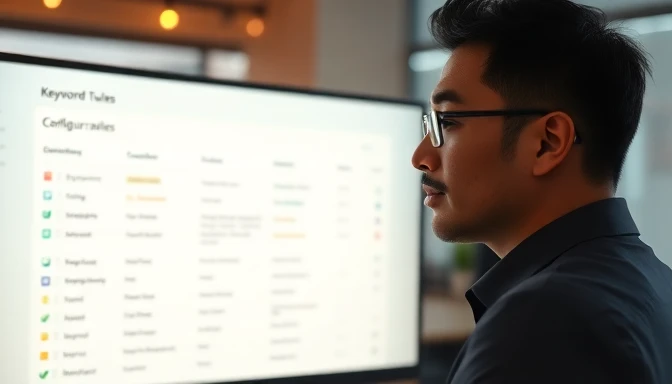
Before you can implement real-time AI coaching with Chorus.ai, certain foundational elements must be in place. These ensure the system can accurately record, transcribe, analyze, and deliver timely prompts during your sales interactions. Without these prerequisites, the effectiveness of the coaching workflow will be significantly hampered.
First, you need an active Chorus.ai subscription. As of 2026, Chorus.ai typically offers Professional and Enterprise tiers, with real-time coaching features generally available in the Professional tier and above. The Professional plan starts around $150/seat/month, billed annually, offering unlimited call recording, transcription, and basic real-time coaching. The Enterprise tier, priced higher per seat, adds advanced analytics, custom integrations, and enhanced security features, making it ideal for larger sales organizations with complex needs. Free tiers are not available for real-time coaching capabilities, as these require significant processing power and advanced AI model access.
Second, a robust Customer Relationship Management (CRM) system is essential. Chorus.ai integrates seamlessly with market-leading CRMs such as Salesforce Sales Cloud, HubSpot Sales Hub, and Microsoft Dynamics 365 Sales. This integration allows Chorus.ai to pull critical deal context, account history, and contact information, enriching its understanding of each call. For instance, if a prospect has a history of price sensitivity noted in Salesforce, Chorus.ai can factor this into its real-time prompt suggestions. Ensure your CRM instance is up-to-date and accessible for API connections.
Third, your calendar system must be integrated. Chorus.ai automatically joins and records calls scheduled through Google Calendar or Outlook Calendar. This streamlines the recording process, ensuring no calls are missed and that transcripts are linked to the correct meeting events. Verify that your calendar permissions allow third-party applications like Chorus.ai to access meeting details and join links.
Finally, a basic familiarity with AI concepts is beneficial, but not strictly required. Understanding how AI processes natural language and identifies patterns will help you fine-tune triggers and interpret prompts more effectively. This includes grasping the role of keywords, sentiment analysis, and conversational intelligence in generating relevant coaching. Sales professionals should also be comfortable with a browser-based interface for configuration and analysis.
Step 1: Connecting Chorus.ai to Your Sales Tech Stack

Connecting Chorus.ai to your existing sales technology stack is the foundational step for enabling real-time AI coaching. This process ensures that Chorus.ai can automatically record your calls, ingest relevant data, and provide contextually aware prompts. A successful integration means your calls are not just recorded, but intelligently analyzed and linked to your customer records.
Action: Initiate CRM and Calendar Integrations
Log into your Chorus.ai account (as of 2026) and navigate to the Settings or Integrations section. You will typically find options to connect your CRM and calendar. For Salesforce, you'll need to authorize Chorus.ai via OAuth 2.0, which usually involves clicking a "Connect to Salesforce" button and logging into your Salesforce instance. Ensure the connecting user has appropriate API access and permissions to read and write activity data. For calendar integration, select your provider (Google Calendar or Outlook Calendar) and grant the necessary permissions for Chorus.ai to access your schedule and join meetings. This usually involves allowing Chorus.ai to view your calendar, create events, and manage meeting participants.
Confirm-it-worked check: Verify Call Recording and Data Flow After connecting, schedule a short internal mock call (e.g., with a colleague) via your integrated calendar. Ensure that Chorus.ai automatically joins the meeting. Once the call concludes, log back into Chorus.ai. You should see the recorded call appear in your dashboard within minutes, complete with a transcription and initial analysis. Check the associated CRM record (e.g., a test opportunity in Salesforce) to confirm that the call activity has been logged and linked correctly. If the call isn't recorded or doesn't appear in your CRM, review the integration settings for any error messages or permission warnings.
Screenshot/output description: Imagine a Chorus.ai dashboard screen displaying a list of recently recorded calls. Each entry shows the call title, date, duration, and a green "Integrated" or "Synced" status next to the Salesforce and Google Calendar icons. Below the call list, a small notification banner might confirm, "Salesforce integration active. All future calls will sync automatically." This visual confirmation indicates that the data pipeline is robust and ready for the next steps.
Step 2: Configuring Real-Time Coaching Triggers and Alerts
Once Chorus.ai is connected to your sales tech stack, the next crucial step is to define when and how the AI should intervene during a live call. This involves setting up specific triggers that, when detected, will prompt the AI to deliver a real-time alert or suggestion. Effective trigger configuration prevents over-prompting and ensures the guidance is relevant and timely.
Action: Set Up Keyword and Sentiment Triggers
Within your Chorus.ai account, navigate to the Coaching or Real-Time Alerts section. Here, you'll define the conditions that activate AI prompts. Start by creating keyword triggers for common objections. For example, add phrases like "too expensive," "budget constraints," "need to think about it," "competitor X," or "not a priority right now." You can also set sentiment triggers; for instance, if the AI detects a significant drop in prospect sentiment or an increase in negative language, it can flag this. Chorus.ai allows you to specify the severity of the trigger (e.g., a "critical" objection vs. a "mild" hesitation) and the type of alert (e.g., a subtle text prompt vs. a more assertive suggestion). As of 2026, Chorus.ai's natural language processing (NLP) models are highly accurate, identifying these phrases and sentiments with over 90% precision in typical sales conversations.
Confirm-it-worked check: Test with Mock Calls and Review Initial Alerts To confirm your triggers are working as expected, conduct several mock sales calls. During these calls, intentionally introduce the keywords and sentiments you configured as triggers. For instance, have a colleague act as a prospect and explicitly state, "Your solution sounds too expensive for our current budget." Observe if Chorus.ai delivers a real-time prompt. After the call, review the call recording and the post-call analysis in Chorus.ai. The platform should highlight the moments where triggers were activated and show the prompts that were (or would have been) displayed. This helps you identify false positives or missed triggers, allowing for fine-tuning.
Screenshot/output description:
Picture a Chorus.ai configuration screen focused on Real-Time Triggers. On the left, a list of categories like "Objection Handling," "Competitive Mentions," "Pricing Discussions." On the right, for "Objection Handling," a text box contains a list of phrases: "too expensive," "not in budget," "competitor X offers." Each phrase has a toggle for "Active" and a dropdown for "Alert Type: Suggestion / Warning." A small graph might show the historical activation rate for each trigger, indicating its frequency. A "Test Trigger" button allows you to input text and see the simulated prompt.
Step 3: Crafting Dynamic Prompts for Objection Handling
Effective real-time coaching isn't just about identifying objections; it's about providing actionable, context-rich responses. This step involves designing the specific AI prompts that Chorus.ai will deliver when a trigger is activated. Generic advice won't cut it; your prompts need to be dynamic, concise, and immediately helpful for a sales professional mid-conversation.
Action: Design Specific AI Prompts for Common Objections
Return to the Coaching or Real-Time Alerts section in Chorus.ai. For each trigger you defined in Step 2 (e.g., "too expensive"), you will now craft the corresponding AI prompt. Chorus.ai allows for various prompt types:
- Direct Answer: Provide a concise, pre-approved response. Example for "too expensive": "Focus on ROI: 'Our clients typically see a 3x ROI within 6 months. What specific budget concerns do you have?'"
- Discovery Question: Prompt the rep to ask a probing question. Example for "need to think about it": "Ask: 'What specifically do you need to think about? What concerns remain?'"
- Value Reinforcement: Remind the rep of key benefits or differentiators. Example for "competitor X": "Highlight our unique security features or integration capabilities."
When crafting prompts, keep them brief (1-2 sentences), actionable, and aligned with your sales methodology. Use placeholders where appropriate (e.g., [Client Name], [Product Feature]) if Chorus.ai supports dynamic insertion based on CRM data. Continuously refine these prompts based on your team's best practices and successful objection handling techniques.
Confirm-it-worked check: Observe AI Suggestions During Live Calls
The best way to confirm prompt effectiveness is through live observation. During actual sales calls where the configured triggers are likely to occur, pay close attention to the real-time prompts delivered by Chorus.ai. Do they appear promptly? Are they relevant to the specific objection raised? Do they provide genuinely helpful guidance? After the call, review the Call Analysis section in Chorus.ai. It typically provides a timeline of the call, marking where triggers were hit and which prompts were suggested. You can also gather feedback from sales reps on the utility and timing of the prompts.
Screenshot/output description: Imagine a screen split into two. On the left, a live sales call interface from Chorus.ai, showing a transcription scrolling in real-time. A prospect says, "The price seems a bit high." Immediately, a small, non-intrusive pop-up appears in the corner of the screen: "> 💡 Prompt: Reframe value. Ask: 'Compared to what alternatives, or what specific budget are you working with?'" On the right, the prompt configuration panel shows the trigger phrase "price seems high" linked to this specific prompt. Below it, options to "Edit Prompt," "Add Alternative Prompt," or "Disable Prompt" are visible.
Step 4: Activating In-Call AI Coaching and Feedback Loops
With triggers and prompts configured, the next step is to activate the real-time coaching feature and ensure sales professionals understand how to interact with the AI during live calls. Effective adoption hinges on clear guidance for reps and a mechanism for collecting feedback on the AI's utility.
Action: Enable Real-Time Coaching and Rep Training
Within Chorus.ai's Coaching settings, ensure the "Real-Time Coaching" or "In-Call Prompts" feature is toggled on for your team or individual sales professionals. This makes the AI active during live calls. Crucially, provide your sales team with a brief training session. Explain how the prompts will appear (e.g., a discreet overlay, a small notification). Demonstrate how to quickly read and interpret them, and how to dismiss or acknowledge them without disrupting the conversation flow. Emphasize that the AI is a co-pilot, not a replacement for their judgment. For example, explain that a prompt for "too expensive" might appear as a small text box with a suggested question, which they can mentally integrate or dismiss with a quick click.
Confirm-it-worked check: Successful In-Call Prompt Delivery and Post-Call Summary
The primary confirmation is consistent and accurate prompt delivery during actual sales calls. Observe or gather feedback from reps on whether prompts are appearing as expected and at the right moments. After calls, review the Chorus.ai Call Summary or Coaching Insights section. This area provides a detailed breakdown of the call, including moments where triggers were activated, which prompts were suggested, and how the rep responded (if tracked by the system). Look for patterns: are prompts helping reps overcome objections? Are reps reporting increased confidence? A 15% improvement in close rates is a significant metric that requires consistent application and refinement of these coaching prompts.
Screenshot/output description: Visualize a sales professional on a video conference call, with a small, semi-transparent overlay from Chorus.ai appearing in the corner of their screen. The overlay reads: "Prospect just mentioned 'need to think about it'. Suggestion: Ask 'What specific concerns or questions are still on your mind?'" Below this text, a small "Dismiss" button and a "Got it" button are visible. The sales professional is maintaining eye contact with the prospect while subtly glancing at the prompt. This demonstrates the non-intrusive nature and immediate utility of the real-time guidance.
Step 5: Analyzing Performance and Iterating AI Coaching Strategies
The final step in this quick tutorial is to move beyond initial setup and into continuous improvement. Real-time AI coaching is not a "set it and forget it" solution; it requires ongoing analysis of performance data and iterative adjustments to maximize its impact on objection handling and close rates.
Action: Review Analytics, Identify Trends, and Adjust Prompts Regularly access the analytics dashboards within Chorus.ai. Look for specific metrics related to your coaching efforts. Chorus.ai provides detailed reports on:
- Objection Handling Success Rates: Track how often reps successfully navigate specific objections when AI prompts are delivered versus when they are not.
- Prompt Utilization: See which prompts are most frequently used or dismissed by your team.
- Sentiment Shifts: Analyze how prospect sentiment changes after a specific prompt is delivered.
- Close Rate Correlation: Identify correlations between the use of real-time coaching and improvements in deal progression or close rates.
Based on these insights, convene with your sales team or individual reps to gather qualitative feedback. If a particular prompt consistently leads to positive outcomes, consider refining it further or expanding its use. If a prompt is frequently ignored or leads to awkward interactions, revise or remove it. For instance, if data shows that a "direct answer" prompt for a specific objection isn't working, try replacing it with a "discovery question" prompt to encourage more dialogue. This iterative process is key to achieving and sustaining a 15% increase in close rates.
Confirm-it-worked check: Measurable Improvements in Sales Metrics The ultimate confirmation of success lies in quantifiable improvements in your sales metrics. Monitor your team's objection handling success rates, average deal cycle time, and, most importantly, your overall close rates. You should observe a measurable uplift in these areas directly attributable to the implementation of real-time AI coaching. For example, a dashboard might show a 15% increase in deals closed over the past quarter where real-time coaching was actively utilized, compared to a baseline period. This data provides the concrete evidence of the AI's impact and guides future optimizations.
Screenshot/output description: Imagine a Chorus.ai analytics dashboard displaying several key performance indicators. A large, prominent graph shows "Team Close Rate" with an upward trend line, indicating a 15% increase over the last six months (labeled "Post-AI Coaching Implementation"). Below it, smaller charts illustrate "Objection Handling Success Rate by Type" (e.g., "Price Objection: 78% success with AI vs. 63% without") and "Top 5 Most Used Prompts" with their associated success metrics. A section might also display "Prompt Feedback" with comments from sales reps.
Troubleshooting Common AI Coaching Challenges
Even with careful setup, you might encounter issues with real-time AI coaching. Addressing these common pitfalls quickly ensures your team can rely on the system without frustration.
AI Prompts Are Not Appearing During Calls This is often due to an integration hiccup or incorrect settings. First, verify that Chorus.ai is correctly integrated with your calendar and actively joining the call. Check the meeting settings to ensure the Chorus.ai bot is listed as a participant. Second, confirm that the "Real-Time Coaching" feature is enabled for your profile or team in Chorus.ai settings. Third, review your trigger configurations (Step 2). Are the keywords you're saying exactly matching the triggers? Check for typos or variations. If using a specific meeting platform (e.g., Zoom, Google Meet), ensure Chorus.ai has the necessary permissions to listen and display overlays. Update Chorus.ai to the latest version as of 2026, as updates often include bug fixes for common integration issues.
Prompts Are Irrelevant or Generic If the AI is providing unhelpful suggestions, the issue usually lies in your prompt configuration (Step 3) or the specificity of your triggers. Ensure your prompts are concise and actionable, avoiding vague language. For instance, instead of a prompt saying "Talk about value," specify "Mention the ROI calculator and the 3x return." Also, review your trigger keywords. Are they too broad? "Price" might trigger too often; "too expensive" is more precise. Consider adding negative keywords to prevent irrelevant triggers. For example, if you sell software, "cloud" might be a trigger, but if you're discussing "cloud computing history" it's irrelevant. Add "history" as a negative keyword to that trigger.
AI Prompts Disrupt the Call Flow An intrusive AI can do more harm than good. This problem often stems from prompt design or a lack of rep training. Ensure your prompts are short and to the point, requiring minimal reading time. Review the display settings within Chorus.ai; some platforms allow you to adjust the size, opacity, or location of the prompt overlay to make it less disruptive. Most importantly, conduct refresher training with your sales team (Step 4) on how to quickly glance at, interpret, and dismiss prompts. Emphasize that the AI is a guide, not a script, and that their natural conversation flow takes precedence. Some reps might benefit from practicing mock calls specifically to integrate AI prompts smoothly.
Data and Analytics Don't Reflect Expected Improvements If your metrics aren't showing the anticipated 15% close rate increase, a deeper analysis is required. First, confirm that your data collection is accurate and complete (Step 1). Are all relevant calls being recorded and analyzed? Second, examine the quality of AI prompt utilization. Are reps actually incorporating the suggestions, or merely dismissing them? Third, review your coaching strategies and prompts iteratively (Step 5). The initial prompts might not be optimal. It's crucial to compare performance metrics for calls with AI coaching versus those without, isolating the impact. This helps confirm whether the AI is genuinely contributing to improved outcomes or if other factors are at play.
Adjacent Workflows to Enhance Sales Performance
Implementing real-time AI coaching with Chorus.ai is a significant step, but its impact can be amplified by integrating it with other AI-powered sales workflows. These adjacent strategies further streamline processes, deepen insights, and contribute to overall sales effectiveness.
Automated Call Summarization and Follow-up Generation Beyond real-time coaching, Chorus.ai excels at post-call analysis. Once a call ends, the platform can automatically generate concise summaries, identify key discussion points, and extract action items. This summary can then be pushed directly into your CRM or even used to draft personalized follow-up emails. For example, after a call where a prospect expressed interest in "pricing and implementation timeline," Chorus.ai can generate an email draft that addresses these points, saving the sales professional valuable administrative time and ensuring timely communication.
AI-Powered Deal Health Scoring Chorus.ai integrates conversational data directly into deal health scores. By analyzing factors like prospect engagement, sentiment, and the presence of key stakeholders on calls, the AI can provide a more accurate prediction of deal progression. This allows sales leaders to identify at-risk deals earlier and intervene strategically. For a sales professional, this means prioritizing their pipeline more effectively, focusing efforts on deals with higher probability of closing based on AI-driven insights, rather than relying solely on subjective judgment.
Personalized Sales Playbook Development The aggregated data from real-time coaching offers a goldmine for refining your sales playbook. Chorus.ai can identify the most effective objection handling techniques, successful talk tracks, and common pitfalls across your team. This data-driven approach allows you to continuously update your sales materials with proven strategies. For instance, if the AI consistently identifies a specific response to a "budget" objection as highly effective, that response can be formalized into the team's training and future AI prompts, creating a virtuous cycle of improvement. According to Gartner's 2026 AI for Sales Report, sales organizations that continuously refine their playbooks using AI insights report a 20% higher win rate compared to those relying on static playbooks.
Take the Next Step
Start by reviewing your most common sales objections from the last quarter. Document the top three, then log into Chorus.ai to configure specific real-time triggers and prompts for each of these objections. This targeted approach will immediately begin to impact your most challenging conversations.
Best Practices for Successful AI Coaching Rollout
Phased Implementation and Pilot Programs
Rolling out a powerful tool like real-time AI coaching requires a strategic approach to ensure high adoption and measurable success. Instead of a "big bang" launch, implement Chorus.ai in phases, starting with a pilot program. Select a small group of enthusiastic and coachable sales professionals who are open to new technologies. Define clear objectives for this pilot, such as improving a specific objection handling scenario or reducing new hire ramp-up time by a certain percentage. Gather continuous feedback from this initial group, iterating on prompt effectiveness, trigger sensitivity, and overall user experience. This iterative process allows you to fine-tune the system and build internal champions before a broader team rollout, mitigating potential resistance and ensuring the technology truly enhances their
Integrating Chorus.ai with Your Sales Stack
For real-time AI coaching to deliver its full potential, it must operate as an integral part of your existing sales ecosystem, not as a standalone tool. Chorus.ai is designed to seamlessly integrate with your Customer Relationship Management (CRM) system and communication platforms, creating a unified workflow that enriches data, automates tasks, and provides a holistic view of sales performance. This integration ensures that the AI has access to the comprehensive context it needs to deliver hyper-relevant coaching and that the insights generated are immediately actionable within your team's daily tools. A tightly integrated stack reduces manual data entry, minimizes context switching, and ultimately empowers your sales reps to focus more on selling and less on administrative overhead.
Seamless CRM Synchronization for Contextual Intelligence
Integrating Chorus.ai with your CRM (e.g., Salesforce, HubSpot, Microsoft Dynamics) is foundational for maximizing its effectiveness. This synchronization allows Chorus.ai to pull critical account and opportunity data directly into its analysis, providing the AI with deep context about the customer's history, current stage in the sales cycle, and specific needs. For example, knowing if a prospect is a long-term customer or a new lead, or if the deal is nearing close, can significantly influence the AI's coaching recommendations. Conversely, Chorus.ai pushes call recordings, transcriptions, summaries, and key insights (like identified objections or successful talk tracks) back into the CRM, enriching customer records and making sales intelligence accessible for forecasting, pipeline reviews, and coaching sessions. This two-way data flow ensures that every interaction contributes to a richer, more accurate understanding of your customers and sales process.
Connecting with Communication Platforms for Unified Workflows
Modern sales calls predominantly happen over digital communication platforms. Chorus.ai integrates directly with leading platforms like Zoom, Google Meet, and Microsoft Teams to automatically record and ingest call data for analysis. This eliminates the need for manual uploads and ensures that every sales interaction, whether a discovery call or a negotiation, is captured for real-time coaching and post-call review. Beyond recording, these integrations can facilitate real-time alerts and summaries. For example, a coaching alert might pop up within the meeting interface, or a call summary could be automatically posted to a Slack channel for team visibility. This unified workflow prevents data silos and allows sales professionals to leverage AI coaching without ever leaving their primary communication tools, streamlining their workflow and ensuring consistent application of coaching insights.
💡 Tip: Configure your CRM integration to not only pull opportunity details but also custom fields that might indicate specific customer pain points or strategic initiatives. This deeper context will allow Chorus.ai to generate even more precise and tailored real-time prompts.
| Integration Aspect | Benefit for Sales Reps | Benefit for Sales Leaders |
|---|---|---|
| CRM Data Sync | Contextual prompts, less manual data entry | Accurate forecasting, enriched customer profiles, data-driven coaching |
| Call Recording (e.g., Zoom) | Automatic capture, focus on conversation, post-call review | Comprehensive performance analysis, compliance adherence |
| Communication Alerts | Immediate guidance, improved in-call execution | Real-time intervention opportunities, consistent messaging |
| Analytics & Reporting | Self-coaching insights, skill development | Team performance visibility, playbook refinement |
Training Your Team for Optimal AI Coaching Adoption
Introducing real-time AI coaching is as much about technology as it is about people. Successful adoption hinges on effective training that addresses both the practical "how-to" and the psychological aspects of working alongside an AI coach. Your sales team needs to understand not just how to use Chorus.ai, but why it benefits them, how it augments their skills, and how to integrate its guidance into their natural selling style. A well-executed training program will transform initial skepticism into enthusiastic engagement, ensuring that your investment in AI coaching translates into tangible improvements in performance and close rates.
Cultivating a Growth Mindset and Overcoming Resistance
It's natural for sales professionals to feel apprehension when new technology is introduced, especially one that "listens in" on their calls. Effective training must proactively address concerns about surveillance, job security, and the perceived "intrusion" of AI. Frame AI coaching not as a replacement, but as a personal assistant and a continuous learning partner. Emphasize that the AI's goal is to help them perform better, reduce stress by providing timely support, and accelerate their professional growth. Share success stories from pilot programs, highlight how top performers are leveraging the tool, and foster an environment where feedback on the AI's suggestions is encouraged. Promoting a growth mindset—where continuous learning and adaptation are valued—is crucial for your team to embrace AI coaching as a tool for self-improvement rather than a judgmental supervisor.
⚠️ Watch out: Avoid positioning AI coaching as a performance monitoring tool first. Lead with its benefits for individual reps, such as improved objection handling or memory recall, to build trust before discussing its value for team analytics.
Hands-On Workshops and Continuous Skill Development
Theoretical understanding of AI coaching is insufficient; practical application is key. Design hands-on workshops where reps can practice with Chorus.ai in simulated call environments, experimenting with different prompts and scenarios without the pressure of a live deal. Focus on specific use cases, such as handling budget objections or pivoting conversations. Encourage reps to actively engage with the AI's suggestions, discuss their experiences, and share best practices. Beyond initial training, establish a rhythm of continuous skill development. This could involve regular "AI coaching clinics" where the team reviews anonymized call segments, discusses AI prompts, and collectively refines their strategies. Treat AI coaching as an ongoing skill to be mastered, just like any other sales technique, providing resources and opportunities for your team to continually improve their ability to leverage this powerful tool. This iterative learning approach ensures that as your AI coaching system evolves, your team's proficiency with it grows in parallel.
Real-Time AI Coaching for Sales Calls: Improve Objection Handling & Close Rates by 15% with Chorus.ai is ideal for teams that need faster execution and measurable outcomes.
Frequently Asked Questions
What is the primary benefit of real-time AI sales call coaching?
The primary benefit is immediate, in-the-moment guidance during live sales calls. This helps sales professionals overcome objections more effectively, ensures they stay on message, and ultimately leads to higher close rates by providing timely, context-aware suggestions exactly when they are needed.
How does Chorus.ai ensure privacy and data security for sales calls?
Chorus.ai implements robust security measures, including encryption for data in transit and at rest, strict access controls, and compliance with major data privacy regulations like GDPR and CCPA as of 2026. Calls are recorded with consent mechanisms, and data is processed in secure environments, ensuring confidentiality and integrity.
Can AI coaching replace human sales coaches?
No, AI coaching is designed to augment, not replace, human sales coaches. AI excels at identifying patterns and delivering real-time prompts based on data. Human coaches provide empathy, strategic thinking, complex problem-solving, and personalized development plans that AI cannot replicate, fostering long-term growth and skill refinement.
What kind of sales teams benefit most from real-time AI coaching?
Sales teams with high call volumes, complex products or services, and a need for consistent messaging benefit most. It's particularly impactful for new reps who need rapid skill development and for experienced reps looking to refine specific areas like objection handling or competitive positioning.
What is the typical cost of implementing Chorus.ai for real-time coaching?
As of 2026, Chorus.ai's Professional tier, which includes real-time coaching, typically costs around $150-180/seat/month when billed annually, though pricing can vary based on team size and custom requirements. Enterprise plans offer more advanced features at a higher per-seat cost. You can find detailed breakdowns on the Chorus.ai pricing page.